
UPI Payment Link: How to Collect Payments Online Without a Website
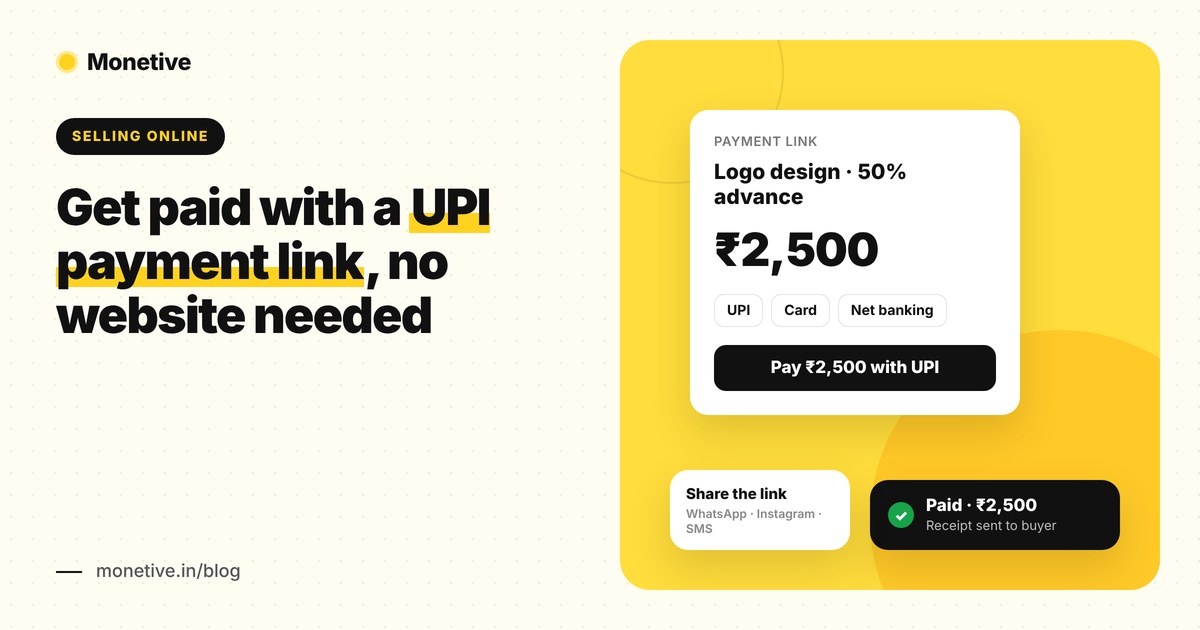
A payment link lets clients pay you by UPI, card or net banking from one URL you share on WhatsApp or Instagram. Here's how it works, when it beats sharing your UPI ID, and how to set one up in minutes.
You've agreed on the work, the client says "send me the payment details", and you reply with your UPI ID. Then the follow-ups start: "Did you get it?", "Can you send a receipt?", "Which payment was this for?" Multiply that by ten clients a month and you're running a small accounts department from your WhatsApp.
A payment link fixes this. It's a single URL that opens a checkout page for a specific amount and purpose. The buyer pays by UPI, card or net banking, gets a receipt automatically, and you see exactly who paid for what.
This guide explains how payment links work, when they beat sharing your UPI ID, and how to set one up in a few minutes.
What is a payment link?
A payment link is a short web address that leads to a ready-made checkout. You create it with:
- What the payment is for, such as "Logo design: 50% advance"
- The amount, such as ₹2,500
- What you need from the buyer, usually name, email and phone
You share it anywhere: WhatsApp, Instagram DM, email, SMS or a QR code. The buyer opens it, pays with the method they prefer and gets a confirmation. You get a notification and the payment is recorded against that link.
No website, no coding and no separate invoice tool.
Payment link vs sharing your UPI ID
Sharing your UPI ID works for small, one-off payments between people who know each other. For a business, it creates gaps:
| UPI ID or QR | Payment link | |
|---|---|---|
| Buyer knows exactly what they're paying for | No, they type the amount | Yes, amount and purpose are fixed |
| Automatic receipt to the buyer | No | Yes |
| Buyer's name, email and phone captured | No | Yes |
| Easy to match payments to clients | Hard, you check bank statements | Each payment is tied to a link |
| Card and net banking | No | Yes |
| Looks professional | Basic | Branded checkout |
The bigger your client list, the more time the payment link saves.
When to use a payment link
Payment links are best for payments that don't need a full product page:
- Freelance and service work: advances, milestones and final payments
- Custom orders: a made-to-order cake, a personalised gift, a commissioned artwork
- Event or workshop fees collected over WhatsApp
- Consulting follow-ups: a second session or a review agreed in a call
- Deposits to confirm a booking or a slot
If you sell the same thing to many people, such as an ebook or a course, use a payment page instead. It has a description, images and automatic delivery. Our guide to selling digital products in India explains the difference.
How to create a payment link with Monetive
- Create a free Monetive account and complete your profile.
- Open Payment Link from your dashboard.
- Enter what the payment is for and the amount.
- Copy the link and send it to your client on WhatsApp, Instagram or email.
- Your client pays by UPI, card or net banking and receives a confirmation.
Your payments appear in your dashboard with the buyer's details. Once your KYC is complete, your earnings are paid out to your bank account or UPI ID.
Tips to get paid faster
Write a clear title. "Website project: final 50%" is better than "Payment". The buyer should recognise the payment instantly, and so should you when you check your records next month.
Send the link with context. One line is enough: "Here's the link for the 50% advance. Once it's paid I'll start on the first draft."
Split big projects into milestones. An advance and a final payment are easier for clients to approve than one large amount, and they protect you if a project stalls.
Follow up once, politely. If a link hasn't been paid in two or three days, a short reminder usually works: "Just checking you got the payment link. Happy to help if anything's unclear."
Keep personal and business payments separate. Using payment links for all business income makes accounting and tax filing far simpler.
What about GST?
A payment link doesn't change your tax position. If you're registered for GST, you still need to charge it where it applies and issue proper invoices. If you're not sure whether you need to register, read our guide to GST for creators in India and speak to a qualified accountant.
FAQ
Is a payment link safe for my clients?
Yes. The buyer pays on a secure checkout run by a licensed payment gateway. They never share bank details with you directly.
Can my client pay by card or net banking instead of UPI?
Yes. A payment link supports UPI, cards and net banking, so the buyer can choose whatever is easiest for them.
Do I need a website or a GST number to use a payment link?
No website is needed. A GST number isn't required to create a link, but you must register for GST if your business crosses the threshold that applies to you.
When do I receive the money?
Payments are recorded instantly. Payouts go to your bank account or UPI ID after your KYC is approved.
What does it cost?
You can start on Monetive's free plan, which charges a platform fee only when you get paid. Paid plans lower the fee per sale. See pricing for current details.